


Color Pop - Fun Coloring Games
4.59.61K Reviews
App Specs
- Version
- 2.08.04
- Updated On
- License
- Free
- Downloads
- 10,000,000+
- Developer
- MWM - AI Music and Creative Apps
- Categories
- Entertainment
- Platform
- Android, iOS
Screenshots
 Analysis by AppCompare
If you're a fan of coloring books and want to bring that joy to your smartphone, then you might just fall in love with Color Pop - Fun Coloring Games. This app is like the ultimate coloring book, but way cooler because it fits right in your pocket. Let's dive into what makes this app so fun and why it’s worth checking out.
A first look at the coloring experience
The appeal here is easy to understand: coloring offers a small, focused activity that can fit into a break without asking you to learn a complicated creative tool. I’d consider it for a quiet wait, a short pause between chores, or a low-pressure way to spend time on a phone when scrolling feels less satisfying. Its entertainment focus makes that casual use the natural starting point, rather than treating it as a substitute for a full drawing studio.
It is a free app from MWM - AI Music and Creative Apps, with optional in-app purchases ranging from $0.99 to $99.99 per item. That makes it sensible to try before deciding whether any paid extras suit your habits. I’d approach the purchase options deliberately: enjoy the basic coloring routine first, then decide whether you want to spend. If you are looking for a completely purchase-free experience, it is worth being cautious around optional offers rather than assuming every part of the app is free.
Unleashing Your Inner Artist
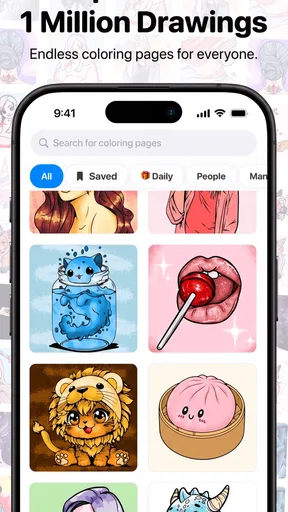
When I first opened up Color Pop - Fun Coloring Games, I was greeted by a vibrant and user-friendly interface. The app offers a massive collection of designs to choose from, catering to all tastes. Whether you're into intricate mandalas, adorable animals, or serene landscapes, there’s something here for everyone. And the best part? You don’t need to be Picasso to enjoy it!
The collection is described as offering more than 800 drawings, alongside colors and effects, so browsing can be part of the entertainment rather than simply a step before coloring. I’d start by choosing a design that looks inviting instead of automatically picking the most detailed one. A simpler page is often a better first test of whether the tap-based approach feels comfortable on your device, while a more elaborate design can be saved for a longer, quieter session.
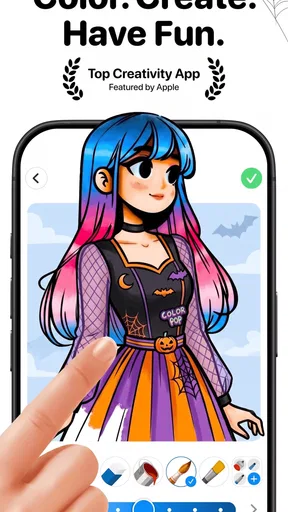
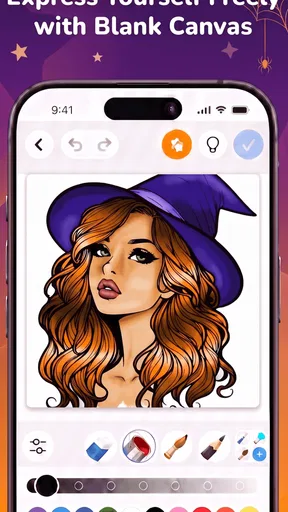
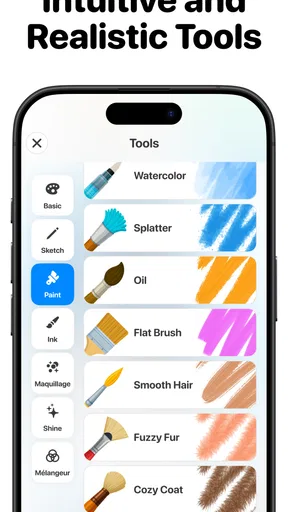
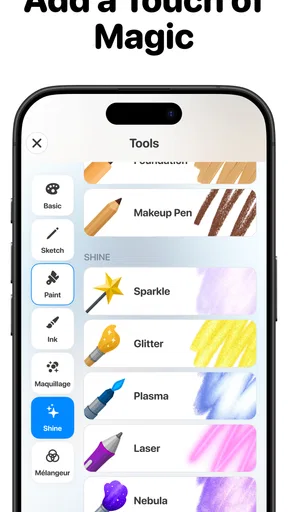
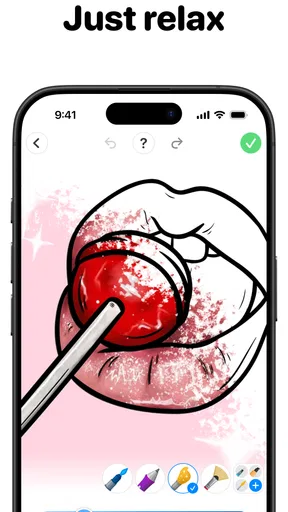
The app features a straightforward tap-to-fill color system. It's incredibly satisfying to see the colors pop into place with just a tap, and if you’re feeling adventurous, there are plenty of tools to experiment with. You can adjust the brush size or choose from a variety of textures to add some flair to your masterpiece.
Readability, navigation, and a comfortable pace
In my experience, the most useful thing about a simple coloring interface is that it keeps attention on the picture. Tap-to-fill avoids the need to trace every outline, which can make a relaxing activity feel manageable when you only have a few minutes. It also means the experience is less like freehand drawing: if you want to sketch your own shapes or make precise line work from scratch, a conventional drawing app is a better fit.
Worth Reading Before You Choose

EA SPORTS FC Mobile 26 Is a Bigger Football Game, but It Takes Time

Flipboard Shows What News Apps Must Do Beyond the Feed

Switching to Android Auto Means Rethinking Your Driving Routine

Google Calendar Makes a Crowded Week Easier to Manage

Ludo King Makes the Most of the Minutes Between Plans

Baby Panda World Brings Quick Play to Modern Phones, but Its Game Library Feels Busy
For a practical first session, I’d open a page, try a few colors, and check how easily I can tell neighboring areas apart on my screen. That small test helps reveal whether a particular design is comfortable to work on before I settle in. When the picture is dense, zooming or changing the brush size may help with control, but tiny sections can still be fiddly on a small phone. A larger display can make those pages easier to manage; it does not change the basic coloring style.
Color choice is another part of navigation. Rather than trying to finish an image quickly, I’d pick a small palette before filling several areas. That makes it easier to keep a coherent look and reduces the back-and-forth of changing colors after every tap. Textures and effects can add variety, but using them sparingly may keep a detailed picture from becoming visually busy. The trade-off is personal: someone who enjoys experimenting may welcome those options, while someone who wants a very plain coloring page may prefer to ignore them.
Features That Keep You Hooked
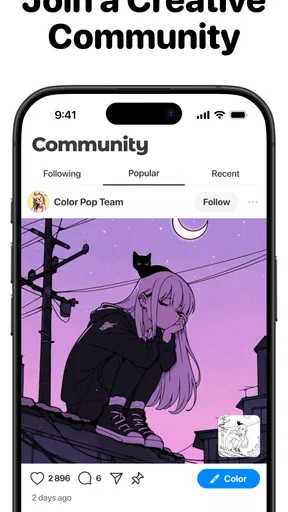
One of the standout features of Color Pop is the daily updates. There's always something new to color, which keeps things fresh and exciting. Plus, if you’re feeling competitive or just want to show off your skills, you can join in on weekly challenges. It’s a great way to connect with a community of fellow coloring enthusiasts.
That changing selection suits people who like choosing from fresh prompts instead of returning to the same saved page. I would treat challenges as optional inspiration, not a requirement: if a theme does not match my mood, the ordinary coloring activity is still the point. For someone who likes gentle goals, a challenge can give a session a clear finish line; for someone who finds timed or competitive activities stressful, skipping that part is a perfectly reasonable way to use the app.
Another feature worth mentioning is the offline mode. Whether you’re on a flight or just want to save some data, you can download images to color without an internet connection. It’s super convenient for those moments when you just want to unwind without any distractions.
Motor and sensory considerations
The tap-to-fill approach can be easier than continuous finger drawing for people who find long swiping motions uncomfortable, and the option to adjust brush size offers another way to adapt how coloring feels. Still, it is not hands-free: selecting small areas and choosing colors calls for repeated touch input. If tapping accurately is difficult, intricate artwork may take patience, and a less detailed page is likely to be a more comfortable place to begin.
Coloring can also be visually absorbing, but the same busy detail that some people enjoy may feel tiring to others. I’d choose a calmer-looking picture and use effects with restraint if a page starts to feel crowded. The app is presented as suitable for everyone, but that broad age rating is not a promise that every design, control, or visual treatment will work equally well for every person. Personal comfort varies, so it is worth trying a short session and adjusting the picture and pace rather than pushing through discomfort.
Using it around everyday routines
A realistic use is a short wait at a clinic or a quiet stretch before bed: pick a page, fill a few areas, and stop when the moment is over. The activity does not need to become a long project to feel worthwhile. If I know I’ll be without a connection, I’d prepare by downloading an image in advance, rather than relying on being able to browse or fetch new material at that moment. That is a small bit of planning that makes offline use more dependable.
It may also work as a shared, low-pressure activity. One person can choose a picture and another can suggest colors, without either needing art experience. On the other hand, it is not the best choice when the goal is collaborative drawing on one canvas or making a polished illustration for work. Its strength is the ready-made coloring format, not the open-ended control of a professional art app.
Compared with physical coloring books, a phone version is easier to carry and lets you try colors without committing to them on paper, but it cannot reproduce the feel of pencils or markers. Compared with general drawing apps, this offers a more guided activity and less freedom to create from a blank canvas. I’d choose a paper book for tactile relaxation, a drawing app for original artwork, and this app when I want a convenient, structured coloring break.
Access in different situations—and the limits
Offline coloring can be especially useful during travel or when a connection is unreliable, while a phone makes a quick session possible without packing supplies. Screen size remains a practical factor: a compact device is convenient to carry but can make fine details harder to tap. If you often color for a longer stretch, taking breaks and choosing designs that do not demand constant precision may make the experience more comfortable.
There are also reasons some people may want to skip it. If your main aim is to learn drawing fundamentals, work with layers, or produce highly controlled original art, a dedicated drawing tool will give you a more suitable workflow. If you dislike touchscreens, prefer paper, or find small visual targets frustrating, the same convenience may not outweigh the friction. And if you want every feature to be free, the presence of optional purchases means you should make your own choice about spending before getting invested.
The Joy of Coloring Anytime, Anywhere
One of the things I absolutely love about Color Pop is how it allows me to relax and de-stress. There’s something incredibly calming about zoning out and focusing on coloring. It’s like a mini-vacation for your mind. Plus, the app’s design is easy on the eyes, with soothing music that enhances the overall experience.
That calming quality depends on the person and the setting. A quiet moment at home may suit focused coloring, while a noisy commute can make it harder to settle into a picture. I’d use it as a pleasant distraction, not as a guaranteed way to change my mood. If sound is not welcome in a shared space, keeping a session brief or choosing a situation where audio is appropriate can help; the visual activity itself is still the main reason to open a coloring app.
Sharing your creations is a breeze too. With a simple tap, you can post your finished pieces on social media or send them directly to friends. Who knew showing off your coloring skills could be so easy?
Sharing is most useful when you treat the finished image as a personal keepsake or a conversation starter, rather than expecting professional-level artwork. I’d also think about where an image is going before posting it publicly, especially if I prefer to keep casual hobbies private. The option to share adds an easy next step for people who enjoy showing their work, but it does not need to become part of every session.
What to expect before you install
The app is free to download and is rated for everyone. It has an average rating of 4.5 from around 173,000 ratings, with about 8,400 written reviews, and has passed 10 million installs. Those figures suggest that it has reached a broad audience, but they do not tell me whether its controls will feel right for a particular device or person. I’d use a brief trial session to answer that more useful question for myself.
Its current version is 1.87.08, and it requires Android 7.0 or later. Those details matter if you are checking an older Android device before installing. The app is also available as an entertainment choice for casual coloring rather than a specialist accessibility or art tool. If you are choosing it for someone else, I’d let them test the touch interaction and visual density themselves instead of assuming that an all-ages label settles whether it is comfortable.
Final Thoughts
All in all, Color Pop - Fun Coloring Games is a delightful app that brings the joy of coloring to your fingertips. It’s perfect for both kids and adults who want to unleash their creativity and have a little fun. Whether you’re a seasoned artist or just looking for a way to relax, this app is definitely worth a download. Give it a try and see for yourself how much fun coloring can be!
My recommendation is strongest for someone who wants ready-made designs, quick touch-based coloring, and the option to use prepared pages offline. I would not pick it as my main creative tool, and I would be selective about detailed images if small taps are uncomfortable. For an easygoing break, though, its guided format has a clear appeal. The best test is simple: try a page that looks inviting, notice whether the controls suit you, and keep it in your routine only if coloring feels enjoyable rather than like another task.
Pros
- Wide range of vibrant colors available.
- Intuitive interface for easy navigation.
- Offers new coloring pages weekly.
- Includes relaxing background music.
- Supports offline play mode.
Cons
- Contains frequent in-app ads.
- Limited free content without purchase.
- May drain battery quickly.
- No social sharing options built-in.
- Lacks advanced color blending features.
FAQs for Color Pop - Fun Coloring Games
What is Color Pop - Fun Coloring Games?
Color Pop - Fun Coloring Games is a vibrant and engaging app that allows users to explore their creativity through digital coloring. It offers a wide range of designs and palettes, making it suitable for users of all ages who want to relax and enjoy a colorful experience.
Is Color Pop suitable for children?
Yes, Color Pop is designed to be user-friendly and safe for children. It features intuitive controls and a variety of kid-friendly designs. Additionally, there are no inappropriate ads or content, making it a great choice for younger audiences to enjoy creative play.
Are there in-app purchases in Color Pop?
Color Pop offers a range of free features, but it also includes optional in-app purchases. These purchases can unlock additional color palettes, exclusive designs, and other premium features. While not necessary, they can enhance the overall experience for users who want more options.
Does Color Pop require an internet connection?
Color Pop does not require a constant internet connection for basic coloring activities. However, accessing certain features like downloading new designs or syncing progress across devices might need connectivity. This makes it convenient for use on the go, without worrying about data usage.
What devices are compatible with Color Pop?
Color Pop is available for both Android and iOS platforms, supporting a wide range of devices. It is optimized for tablets and smartphones, ensuring smooth performance and high-quality graphics. Users should check the app store for device-specific compatibility details.


